I decided to dump my journey with macbook and decided to go back to linux for my development workflow after 14 years or so of professionally using macbook. With it , I needed a terminal emulator that could replace iterm2 that was my daily driver for writing code and performing most of my day to day activities.
I had two options to use , Either alacritty or Kitty .
I decided on alacritty , which claimed to be really minimal yet cross platform RUST based terminal emulator that was hardware accelerated by leveraging OpenGL. While performance was not much of an issue but needed something that could really be my daily driver.
Installing Alacritty in Arch linux
I had two options to use , Either alacritty or Kitty .
I decided on alacritty , which claimed to be really minimal yet cross platform RUST based terminal emulator that was hardware accelerated by leveraging OpenGL. While performance was not much of an issue but needed something that could really be my daily driver.
Installing Alacritty in Arch linux
sudo pacman -Syu alacritty
Configuring Alacritty
Alacritty uses a `toml` based configuration for configuring alacritty. Open the configuration file using following. Notice I use nvim , You can use any editor that you use.
nvim ~/.config/alacritty/alacritty.toml
Setting TERM
We will need to set the term variable to let the linux know text rendering color options and use 256 color.
We will need to set the term variable to let the linux know text rendering color options and use 256 color.
[env]
  TERM = "xterm-256color"
For better understanding of what this does, refer here https://www.gnu.org/software/gettext/manual/html_node/The-TERM-variable.html
Window Settings
I would prefer my window to be a little transparent, Start with a maximized mode and I hate the UI buttons that generally appear to minimize, maximize or close . And lastly have some padding around in the terminal so text doesn't kiss the edges of my monitors
Window Settings
I would prefer my window to be a little transparent, Start with a maximized mode and I hate the UI buttons that generally appear to minimize, maximize or close . And lastly have some padding around in the terminal so text doesn't kiss the edges of my monitors
[Window]
 opacity = 0.8
 padding = { x = 10, y = 10}
 startup_mode = "Maximized"
 decorations = "None"
Font Settings
In order to keep it very simple for now, I use MesloLGS Nerd Font mono. I can later expand this to use different families for bold etc.
[font]
  size=19
  normal.family = "MesloLGS Nerd Font Mono"
Hints , Hyperlinks
I needed my terminal to be able to find and forward the hyperlinks to other application in some use cases. For eg: being able to open the hyperlinks directly by clicking into a web browser that I use.
[[hints.enabled]]
 command = "xdg-open"
 hyperlinks = true
 post_processing = true
 mouse.enabled = true
 regex = "(https://|http://|file:|git://|ssh:|ftp://)[^\u0000-\u001F\u007F-\u009F<>\"\\s{-}\\^⟨⟩`]+"
THEMES
The ability to load up themes is a must so that I never get bored out of color schemes.
mkdir -p ~/.config/alacritty/themes
git clone https://github.com/alacritty/alacritty-theme ~/.config/alacritty/themes
Then , import in theme that you need.
import = [
	"~/.config/alacritty/themes/solarized_osaka.toml"
]
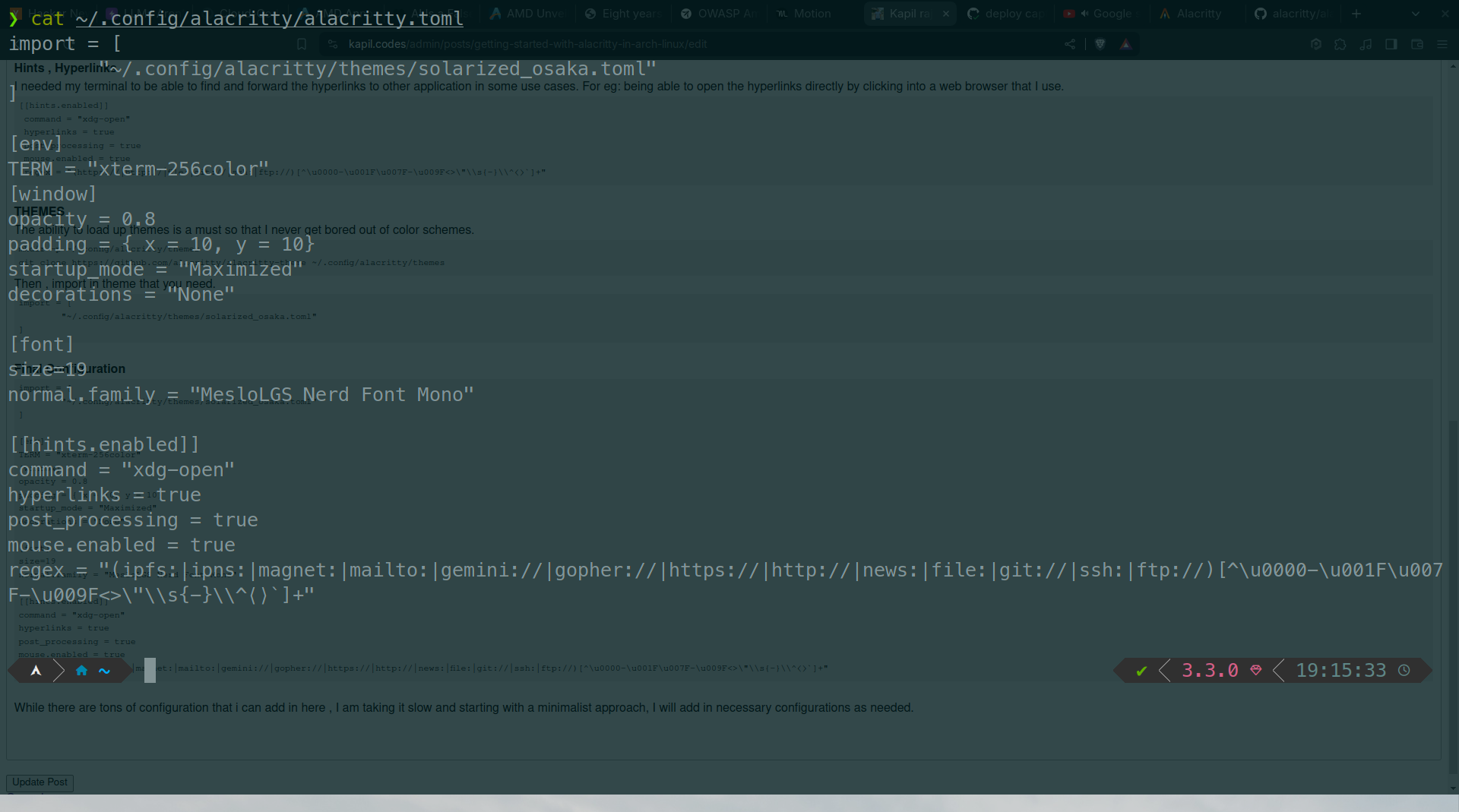
Final Configuration
import = [
	"~/.config/alacritty/themes/solarized_osaka.toml"
]

[env]
TERM = "xterm-256color"
[window]
opacity = 0.8
padding = { x = 10, y = 10}
startup_mode = "Maximized"
decorations = "None"

[font]
size=19
normal.family = "MesloLGS Nerd Font Mono"

[[hints.enabled]]
command = "xdg-open"
hyperlinks = true
post_processing = true
mouse.enabled = true
regex = "(ipfs:|ipns:|magnet:|mailto:|gemini://|gopher://|https://|http://|news:|file:|git://|ssh:|ftp://)[^\u0000-\u001F\u007F-\u009F<>\"\\s{-}\\^⟨⟩`]+"
While there are tons of configuration that i can add in here , I am taking it slow and starting with a minimalist approach, I will add in necessary configurations as needed. And this is how it looks at the moment.